
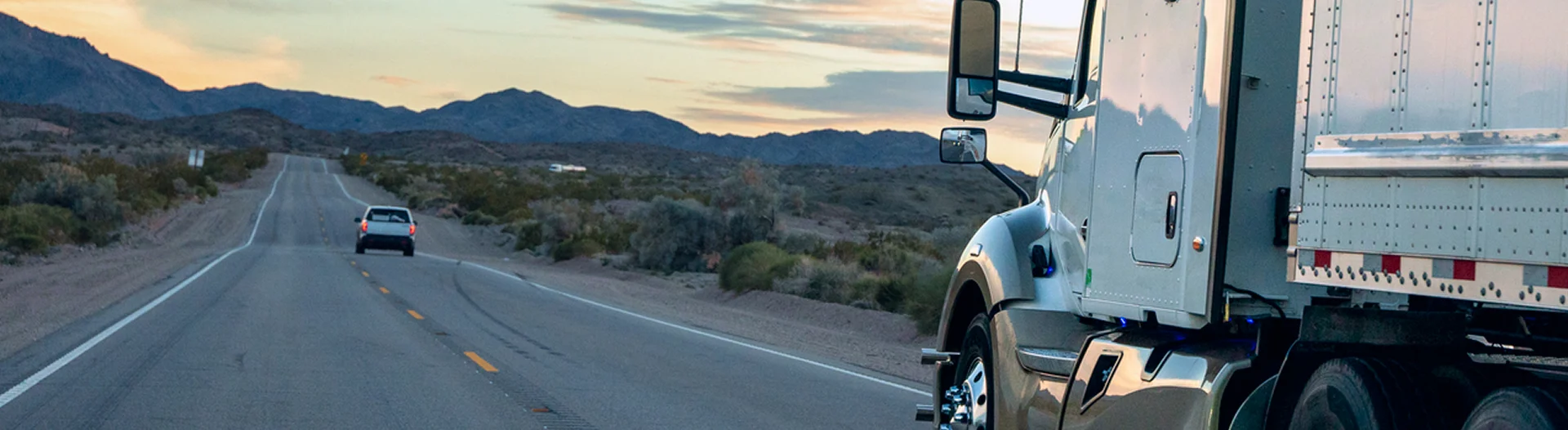
A forward-facing dash cam mounted on the windshield of a commercial truck records exactly what the driver saw in the seconds before a crash. A driver-facing camera records what the driver was doing.
Together, they capture the two halves of the causation story that no other evidence source can provide: the road conditions, traffic, and hazard that precipitated the collision, and the driver’s response, or lack of response, to that hazard. When available, dash cam footage is among the most compelling evidence in truck crash litigation because it is visual, timestamped, and objective. It does not rely on memory, interpretation, or reconstruction. It shows what happened.
The problem is that the footage may not exist by the time anyone asks for it. Commercial fleet camera systems record on continuous loops, writing new footage over old footage on a fixed cycle. Depending on the system, the storage capacity, and the carrier’s configuration, that overwrite cycle may run from roughly 24 hours to several days for continuous driving footage.1 If an event, such as a hard brake, a collision, or a g-force trigger, activates the camera’s event-recording function, the system may permanently save a short clip, typically on the order of 10 to 20 seconds before and after the trigger, though the precise window varies by provider.2 But if the event does not meet the system’s trigger threshold, if the g-force was below the detection level, if the crash was a sideswipe rather than a hard impact, or if the camera system was improperly calibrated, the footage is treated as routine driving video and is overwritten on the next loop cycle.
No federal regulation requires commercial trucks to be equipped with dash cams. No federal regulation specifies how long dash cam footage must be retained.3 The decision to install cameras, the configuration of recording parameters, the trigger thresholds, and the retention period are all set by the carrier. This means that the evidence most capable of resolving disputed facts in a truck crash case exists at the discretion of one of the parties to the litigation and may be destroyed through the routine operation of systems the carrier controls.
How Fleet Camera Systems Work
Modern fleet camera systems used in commercial trucking are sophisticated platforms that combine hardware, software, cloud connectivity, and artificial intelligence. Major providers, including Lytx, Samsara, and Motive, offer systems that include forward-facing road cameras, driver-facing in-cab cameras, and in some configurations, side-mounted or rear-facing cameras.4 The cameras record continuously whenever the vehicle’s ignition is on, capturing video at resolutions ranging from 720p to 1080p depending on the system and configuration.
The recording architecture operates on two tiers. The first tier is continuous loop recording, in which the camera writes video to a local storage device, typically a high-endurance SD card or solid-state memory module installed in the camera unit. The storage capacity, resolution setting, and compression scheme together determine how many hours of driving footage the device can hold before the oldest files are overwritten.5 When the storage fills, the system writes over the oldest footage automatically, with no notification to the driver or the carrier that specific footage has been lost.
The second tier is event-triggered recording. When the camera’s accelerometer detects a g-force event exceeding the configured threshold, or when the system’s AI detects a specific behavior such as a forward collision warning, a lane departure, or driver distraction, the system flags the relevant clip and either saves it to a protected partition on the local storage or uploads it to the carrier’s cloud-based fleet management platform.6 These event clips capture only a short window around the triggering event. Event clips are retained longer than continuous footage because they are stored separately from the overwrite loop and are often subject to the carrier’s review and coaching workflow.
Cloud-based systems add a third dimension. Carriers using platforms like Samsara or Lytx can configure their systems to upload event clips to cloud servers automatically over cellular connections. Some systems also allow on-demand retrieval of continuous footage from the local storage if requested before the footage is overwritten, though this capability depends on cellular connectivity and the system’s upload bandwidth. Cloud-stored footage is subject to the carrier’s retention policy, which commonly runs from 30 days up to several months for event clips, depending on the provider and the carrier’s configuration.7 Continuous footage that is not flagged as an event is generally not uploaded to the cloud and exists only on the local storage device until it is overwritten.
Why Footage Disappears
Dash cam footage disappears for reasons that are mechanical, systemic, and sometimes intentional. Understanding the pathway is essential for determining whether the loss was routine or constitutes spoliation.
The most common reason is simple overwriting. The camera system functions as designed: it records continuously, fills the storage, and writes over the oldest footage to make room for new recordings. If no one retrieves or flags the footage from the crash trip before the loop cycles back to that time period, the footage is gone. For a truck that operates daily, a short overwrite cycle means the footage from a Monday crash may be gone within a few days if no one intervenes. A truck that sits idle for a day or two after a crash may retain the footage slightly longer, but the window is still measured in days, not weeks.
Event trigger failures account for another category of lost footage. If the crash did not produce a g-force event above the camera system’s trigger threshold, the system did not flag the footage for permanent storage. Low-speed crashes, sideswipe collisions, and crashes in which the truck struck a pedestrian or cyclist may not generate the deceleration spike the system requires to trigger an event save. In these cases, the crash footage exists on the continuous loop but is treated by the system as ordinary driving video and is overwritten on schedule.
SD card failure or removal can also result in lost footage. If the SD card is damaged, corrupted, or removed from the camera unit before the footage is retrieved, the local recording is lost. Some carriers remove and reformat SD cards during routine maintenance without checking whether the card contains footage relevant to a pending or anticipated claim. Others may remove the SD card after a crash and claim the footage was not recoverable.
Intentional deletion or failure to preserve is the most consequential pathway in litigation. A carrier that knows a crash occurred and has access to the dash cam footage through its fleet management platform but does not download or flag the footage before the overwrite cycle destroys it has allowed evidence to be lost. If the carrier received a preservation demand and still failed to retrieve the footage, the loss may constitute spoliation.
Preservation: Acting Within Hours, Not Days
The window for preserving dash cam footage is measured in hours from the time of the crash. A litigation hold letter sent to the carrier should specifically demand the following actions regarding dash cam footage: immediate removal of the SD card or storage device from the camera unit in the truck involved in the crash, with the card stored in a secure location and not reformatted, reused, or returned to service; immediate download and preservation of all cloud-stored footage for the truck and driver involved in the crash, including both event clips and any available continuous footage; suspension of the camera system’s automatic overwrite function for the truck involved in the crash, if the system’s configuration permits it; and identification and preservation of footage from any other cameras that may have captured the crash, including cameras on other trucks in the carrier’s fleet that were in the area, trailer-mounted cameras, or facility cameras at nearby locations.
The preservation demand should be sent within 24 to 48 hours of the crash. In cases involving fatalities or catastrophic injuries, same-day preservation demands are appropriate. The demand should be directed to the carrier, the carrier’s insurer, and the camera system provider, because the provider may retain cloud-stored footage independently of the carrier’s own systems.
If the carrier’s counsel responds that no footage exists, the next question is why. Did the truck have a camera system installed? If so, what system, and what was the recording configuration? What was the overwrite cycle? Was an event triggered? If so, was the event clip uploaded to the cloud? If not, why not? When was the last time the SD card was serviced or replaced? Who had access to the camera system after the crash? Each of these questions probes whether the footage was lost through routine operation or through a failure to preserve.
Spoliation & Its Consequences
Under Federal Rule of Civil Procedure 37(e), when electronically stored information that should have been preserved in anticipation of litigation is lost because a party failed to take reasonable steps to preserve it, the court may order measures no greater than necessary to cure the prejudice, or, upon finding that the party acted with intent to deprive, may presume the lost information was unfavorable, instruct the jury accordingly, or dismiss the action or enter a default judgment.8
A carrier that received a preservation demand identifying dash cam footage, took no action to retrieve or preserve the footage, and allowed the overwrite cycle to destroy it has failed to take reasonable steps to preserve electronically stored information. If the court finds the failure was intentional, meaning the carrier knew the footage existed, knew it was relevant, and chose not to retrieve it, the sanctions escalate to adverse inference instructions or case-dispositive remedies.
The adverse inference is particularly powerful in dash cam cases because of what the footage would have shown. If the carrier’s driver was distracted, fatigued, or using a phone in the seconds before the crash, the driver-facing camera would have recorded that behavior. If the road ahead was clear and the truck failed to brake, the forward-facing camera would have shown the unobstructed path and the absence of any evasive action. A jury instructed to presume that the destroyed footage would have been unfavorable to the carrier is being told, in effect, that the carrier’s own camera recorded evidence the carrier did not want anyone to see.
What Discovery Should Target
Discovery in a dash cam case should capture the camera system’s configuration, the footage itself (if it still exists), and the carrier’s handling of the footage after the crash. Key categories include:
The objective is to determine whether footage of the crash existed, whether the carrier had the ability and the obligation to preserve it, and whether the carrier’s failure to do so was a product of routine system operation or a deliberate choice to allow damaging evidence to disappear.
Sources
- [1] Samsara, Dash Cam Product Specifications
- [2] Samsara, Dash Cam Product Specifications; Lytx, DriveCam Event Recorder
- [3] 49 C.F.R. § 393.60(e).
- [4] Lytx, DriveCam Event Recorder; Samsara, Dash Cam Product Specifications; Motive, AI Dashcam.
- [5] Samsara, Dash Cam Product Specifications.
- [6] Samsara, Dash Cam Product Specifications; Lytx, DriveCam Event Recorder.
- [7] Retention periods vary by provider and carrier configuration; Lytx documents a 30-day default retention for event clips.
- [8] Fed. R. Civ. P. 37(e).